Table of Contents
In modern business environments, recording a meeting and generating a transcript is only half the battle. While it's great to have a verbatim record of who said what, raw text is largely passive. Important decisions, critical responsibilities, and urgent deadlines can easily disappear inside pages of long meeting records. If you want to drive real outcomes, you need a reliable method to convert those massive blocks of conversational text into clear, accountable tasks.
That’s where artificial intelligence comes in. The technology has evolved well beyond basic speech-to-text; today's advanced AI meeting assistants are capable of deeply analyzing context to identify exactly who needs to do what, and by when.
In this comprehensive guide, we'll explore exactly how to turn meeting transcripts into action items using AI, providing a step-by-step framework to ensure you never drop the ball on meeting follow-up automation.
What Are AI Meeting Action Items?
AI meeting action items are distinct, actionable tasks that have been automatically identified and extracted from conversational speech or meeting transcripts by a machine learning model. Instead of relying on a human note-taker to frantically type out every commitment made during a rapid-fire brainstorming session, an AI action item generator continuously monitors the transcript for specific linguistic cues that indicate a commitment or decision.
A properly extracted AI action item is not just a summary of what was discussed. It is a highly structured piece of data that ideally contains:
- The Task: A clear description of the work to be done.
- The Owner: The specific person assigned to complete the task.
- The Deadline: The date or time by which the task must be finished.
- The Context: A brief reference to why the task matters, often linked back to the specific moment in the transcript.
When teams utilize tools to extract action items from meetings, they bridge the crucial gap between talking about work and actually doing it.
Why Meeting Transcripts Alone Don't Solve the Follow-Up Problem
It’s easy to assume that having a perfect transcription of a one-hour meeting is the ultimate productivity hack. Unfortunately, this is rarely the case. Consider a typical one-hour cross-functional team meeting. A one-hour meeting can produce thousands of words of transcript, making manual review time-consuming.
There are several inherent problems with relying solely on raw transcripts for meeting follow-up:
- Information Overload: Transcripts capture everything—including tangents, small talk, and repetitive brainstorming. Finding the "signal" (the actual tasks) amidst the "noise" (the casual conversation) takes significant manual effort.
- Ambiguous Commitments: Human conversation is messy. People often use passive voice or vague pronouns. For example, someone might say, "We should probably look into updating the design files next week." A transcript records this perfectly, but it fails to assign an owner or a hard deadline.
- The "Accountability Gap": When everyone receives the exact same 10-page document after a meeting, an assumption often arises that "someone else" will handle the necessary tasks. Without structured action items calling out specific names, collective responsibility often leads to zero individual accountability.
To learn more about the pitfalls of poor meeting management, you can read our guide on common meeting mistakes and how to avoid them.
How AI Extracts Action Items From Meeting Transcripts
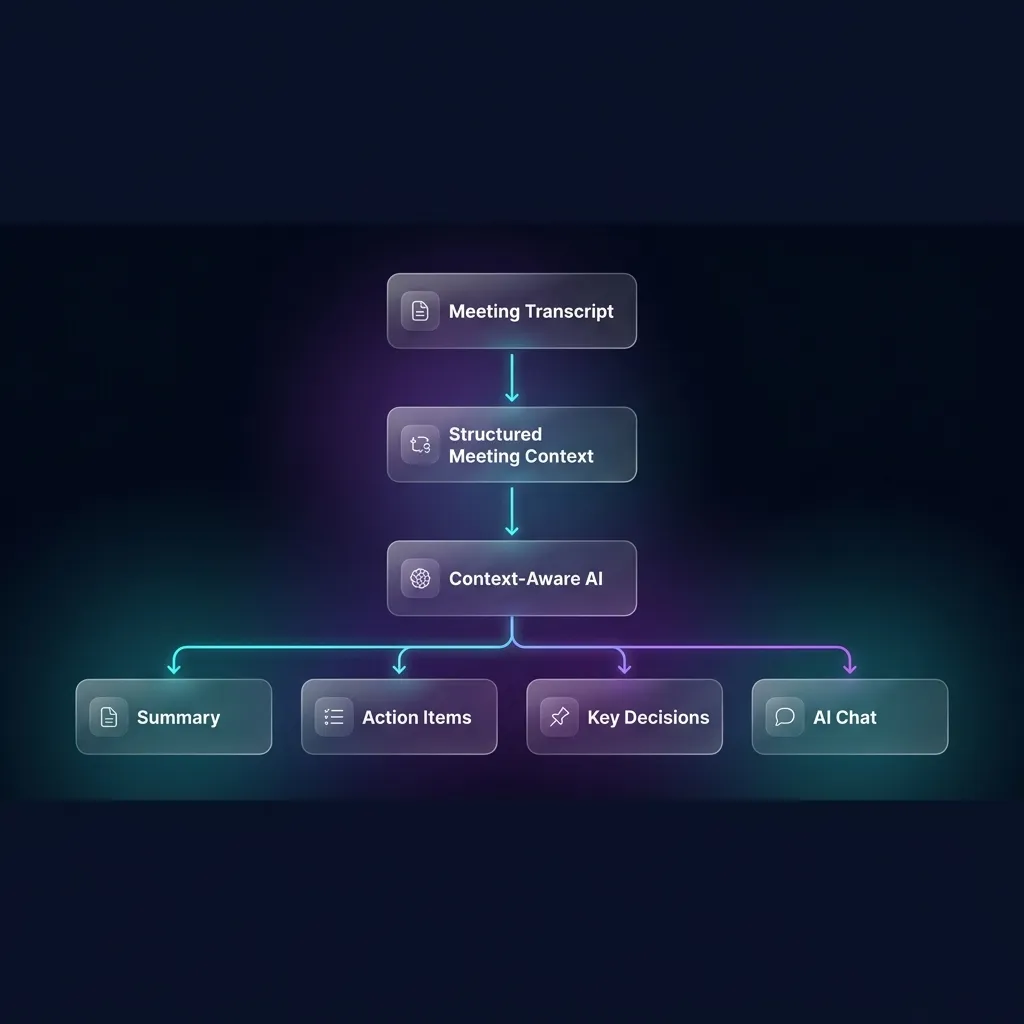
Turning unstructured conversational data into a neat list of tasks requires a sophisticated technical pipeline. It isn't just about spotting the word "task" or "do." Here is the exact technical process of how AI extracts action items from meeting transcripts:
1. Transcription (Speech-to-Text)
The foundation of the process is transcription. Transcription quality directly affects downstream action-item extraction. Errors in names, dates, technical terms, or speaker attribution can lead to incorrect tasks.
2. Context Analysis and Semantic Understanding
Once the text is generated, Natural Language Processing (NLP) models step in. Large Language Models (LLMs) evaluate the transcript holistically. They do not just look at individual sentences; they look at paragraphs to understand context. They distinguish between a hypothetical idea ("What if we built a new app?") and a firm commitment ("I'll start coding the new app tomorrow.").
3. Task Detection
The AI actively scans for intent. Using semantic understanding, the model looks for action verbs, future tense phrasing, and commitments. It identifies patterns that represent the creation of a task.
4. Owner Identification (Named Entity Recognition & Coreference Resolution)
Perhaps the most complex step is figuring out who is doing the task. Through Named Entity Recognition (NER) and coreference resolution, the AI links pronouns back to specific speakers. If Sarah says, "John, can you send me the report?" the AI understands that the task "Send the report" belongs to John, not Sarah.
5. Deadline Extraction
The AI scans for temporal expressions—phrases like "by end of day," "next Friday," or "before Q3." Depending on the system, temporal expressions such as "next Friday" may be converted into specific dates using the meeting date as context.
6. Structured Output
Finally, the AI packages these extracted elements into a structured format (often a JSON payload) that can be rendered as a clean checklist or exported to a project management tool. For a deeper dive into how this architecture functions, check out our breakdown of how AI meeting summaries work.
Step-by-Step: Turn a Meeting Transcript Into Action Items
If you want to implement this in your daily workflow, here is a practical, step-by-step guide to converting a meeting transcript into actionable tasks using an AI action item generator.
Step 1: Record and Transcribe with High Audio Quality Garbage in, garbage out. Ensure your meeting captures high-quality audio so that the speech-to-text models can perform accurate speaker diarization.
Step 2: Define the Meeting Context (Optional but Recommended) Some advanced AI meeting assistants allow you to set the context or agenda before the meeting begins. Telling the AI that this is a "Q3 Marketing Planning Session" helps the model prioritize tasks related to marketing deliverables over unrelated tangents.
Step 3: Run the AI Action Item Extraction Once the meeting ends, prompt your AI tool to generate the action items. If you are using a raw LLM (like pasting a transcript into ChatGPT), you must provide a highly structured prompt. (e.g., "Review the following transcript. Extract all tasks. For each task, provide the task description, the assigned owner, and the deadline. Format as a table.")
Step 4: Review and Verify Always maintain a human-in-the-loop workflow. Review the generated list against the transcript to ensure no critical nuance was lost and that deadlines are accurate.
Step 5: Export to Project Management Workflows A task left in a meeting document is easily forgotten. Push the structured action items directly into your team's task management software (like Jira, Notion, Asana, or ClickUp) to ensure meeting follow-up automation.
Example: Transcript vs AI-Generated Action Items
To illustrate how powerful this transformation is, let's look at a fictional excerpt from a software development stand-up and see how an AI action item generator processes it.
The Raw Transcript Excerpt:
Alex (Product Manager): "Alright team, we need to push the new payment gateway by next Tuesday. The current integration is failing on edge cases." David (Backend Engineer): "Yeah, I saw the logs. The API rate limits are tripping us up. I can write a caching layer for the requests. It should take me about two days, so I’ll have it done by Thursday evening." Alex: "Perfect. Sarah, we’re going to need updated UI copy for the error states when the payment fails. Can you handle that?" Sarah (UX Writer): "Sure thing. I’ve got a full plate today, but I’ll draft the new error copy and send it to you for review by Friday morning." Alex: "Great. And I will schedule a final sync with the billing team on Monday to give them a heads-up before launch."
The AI-Generated Action Items:
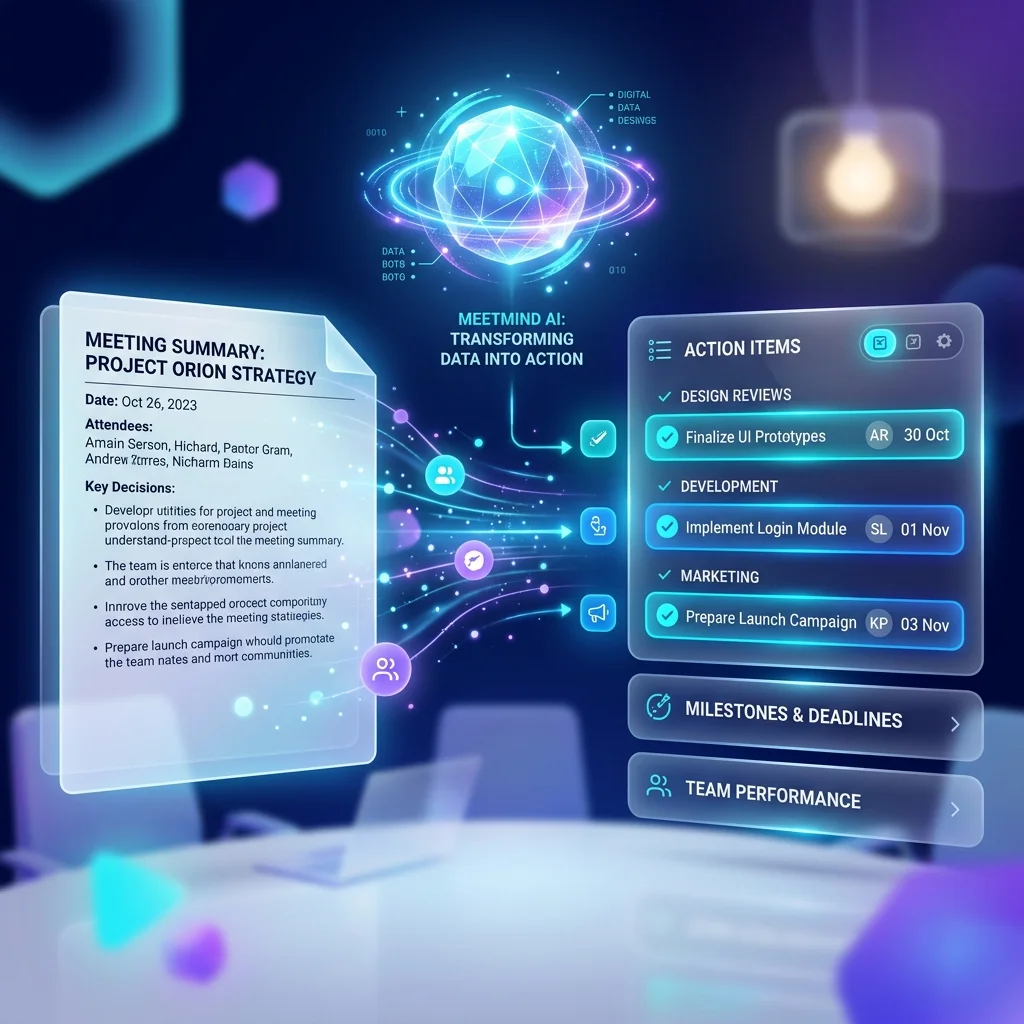
By analyzing this exchange, the AI extracts the following structured data:
- [ ] Write caching layer for payment API requests
- Owner: David
- Deadline: Thursday evening
- Context: To fix the API rate limit edge cases on the payment gateway.
- [ ] Draft updated UI copy for payment error states and send for review
- Owner: Sarah
- Deadline: Friday morning
- Context: Needed for the new payment gateway push.
- [ ] Schedule final sync with the billing team prior to launch
- Owner: Alex
- Deadline: Monday
- Context: To provide a heads-up before the Tuesday payment gateway launch.
Notice how the AI consolidated the conversation, inferred the relationships between the comments, and standardized the deadlines. This is the power of AI workflow automation in action.
What Makes a Good AI-Generated Action Item?
When you extract action items from meetings, you shouldn't settle for vague bullet points. A high-quality AI-generated action item must possess several key characteristics to be genuinely useful:
- Clarity of Task: The action verb should be explicit (e.g., "Draft," "Schedule," "Review"). It should not just be a noun phrase like "Payment gateway."
- Definitive Ownership: A task assigned broadly to "the team" can create ambiguity about who is ultimately responsible. The AI must isolate the specific individual responsible.
- Specific Timeframes: Deadlines must be explicit. If a speaker says "next week," the AI should ideally map that to a specific date based on the meeting's timestamp.
- Contextual Anchors: The best AI meeting assistants provide a direct link or citation back to the exact timestamp in the transcript. If an assignee is confused about the task, they can click the link and listen to the original 30 seconds of conversation.
- Measurable Outcomes: While AI can't invent this if it wasn't spoken, the phrasing should ideally indicate what the definition of "done" looks like.
Common Problems With AI Action Item Extraction
While AI is incredibly powerful, it is not infallible. Understanding the limitations of AI action item generators will help you use them more effectively. Here are common hurdles:
- Ambiguous Responsibilities: If two people agree to work on something together ("We'll handle that"), the AI might struggle to assign a primary owner. It often requires human intervention to specify who is ultimately accountable.
- Missing Deadlines: Humans are notoriously bad at setting deadlines in verbal conversations. If a deadline is never spoken, the AI cannot extract it.
- Transcription Errors: If the speech-to-text engine mishears a name or a critical technical term, the resulting action item will be flawed. This is why high-quality audio is paramount.
- AI Hallucinations: Occasionally, generative AI models might infer a task that was only pitched as a hypothetical idea. Strict prompting and specialized orchestration frameworks (like those detailed in our what is an AI meeting assistant guide) help minimize this risk.
- The "Parking Lot" Dilemma: AI sometimes struggles to differentiate between an immediate, urgent task and a long-term "parking lot" idea that was just floated for future consideration.
How to Review AI-Generated Action Items
Because of the potential issues mentioned above, you should never blindly trust AI output for critical business operations without a brief review phase. Treat AI-generated action items as "candidate tasks."
Before exporting the list to your team:
- Verify the Owners: Ensure no tasks were accidentally assigned to the wrong person due to confusing pronoun usage.
- Check the Deadlines: Validate that the AI correctly interpreted relative days (e.g., ensuring "Thursday" meant this week, not next week).
- Assess the Importance: Delete any minor, trivial tasks that the AI picked up which do not warrant tracking in your project management system.
Human verification remains essential for important decisions and high-stakes commitments. AI is your assistant, not your replacement.
From Meeting Notes to Automated Follow-Up
The ultimate goal of using AI for meeting transcripts is to achieve seamless meeting follow-up automation. An extracted list of tasks is only valuable if those tasks are executed.
Modern workflows integrate the AI meeting assistant directly with the tools where work happens. When the meeting ends, the AI shouldn't just send an email. Depending on the meeting assistant and task-management platform, extracted action items may be transferred through native integrations, APIs, automation platforms, or manual export.
By establishing this pipeline, this workflow can reduce some of the manual work involved in transferring meeting decisions into task-management systems. If you are interested in exploring the most efficient tools for this, take a look at our roundup of the best AI note-taking apps of 2026.
FAQ
1. How accurate is AI at extracting action items from transcripts? When using state-of-the-art models, AI is generally capable of identifying tasks. However, accuracy drops if speakers are vague, talk over each other, or fail to explicitly assign tasks and deadlines during the conversation.
2. Can AI distinguish between an idea and a firm commitment? Advanced AI models use semantic analysis to differentiate between hypothetical brainstorming (e.g., "We could try...") and firm commitments (e.g., "I will do..."). While highly capable, it is still a best practice for human users to quickly review the output to catch any nuanced misinterpretations.
3. What happens if a deadline isn't mentioned in the meeting? If a deadline is not explicitly spoken, the AI cannot confidently assign one. Most systems will leave the deadline field blank or mark it as "Not Specified." To improve AI outputs, teams should adopt a culture of verbally confirming due dates.
4. Does the AI integrate with tools like Jira or Asana? Depending on the meeting assistant and task-management platform, extracted action items may be transferred through native integrations, APIs, automation platforms, or manual export.
5. Is it safe to use AI for confidential meeting transcripts? Before uploading confidential transcripts, review the provider's privacy policy, data retention practices, encryption, access controls, training-data policy, and relevant compliance documentation.
Conclusion
Transforming raw meeting transcripts into structured, accountable action items is a practical way to streamline team workflows. By leveraging AI to automate the extraction of tasks, owners, and deadlines, you eliminate the "accountability gap" and ensure that the decisions made in the boardroom actually translate into completed work.
While the technology relies on complex layers of transcription, context analysis, and entity recognition, the outcome for the user is wonderfully simple: less time spent parsing notes and more time executing on strategy.
If you are ready to stop manually reviewing transcripts and want to start automating your follow-up workflows, MeetMind AI is being built to simplify the workflow from meeting conversations to useful notes and follow-up information.
Ready to eliminate manual meeting notes?
Secure your meeting data while generating accurate AI summaries in minutes.
- AI Meeting Notes & Summaries
- Automated Action Item Tracking
- Search Across Every Meeting